Track Settings — Suspension Setups & Lap Times
Race car on a circuit during a track day
Setup log + lap timer for iPhone & iPad

Every click. Every corner. Every lap.

Track Settings keeps your suspension setups and your lap times in one place — and shows you which change made you faster. $9.99 on the App Store; add Track Settings Pro for $24.99 a year.

iPhone & iPad  ·  iOS 18+  ·  iPhone GPS, Dragy or RaceBox  ·  no sign-up to get started
The setup book

The whole car, on record.

Session setup on iPhone: suspension schematic with per-corner pressures, temperatures, and damper clicks
01

Cars & setups

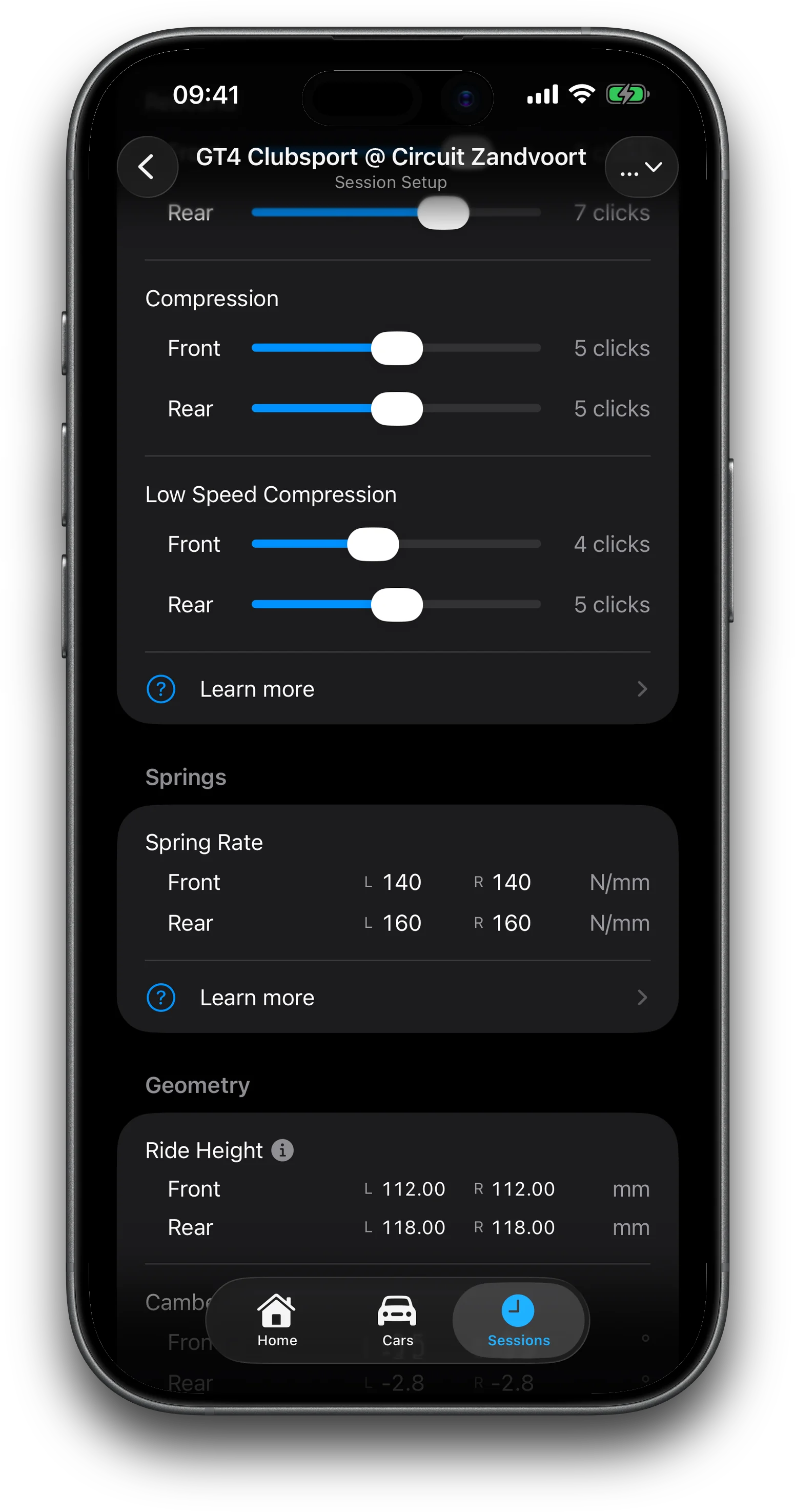
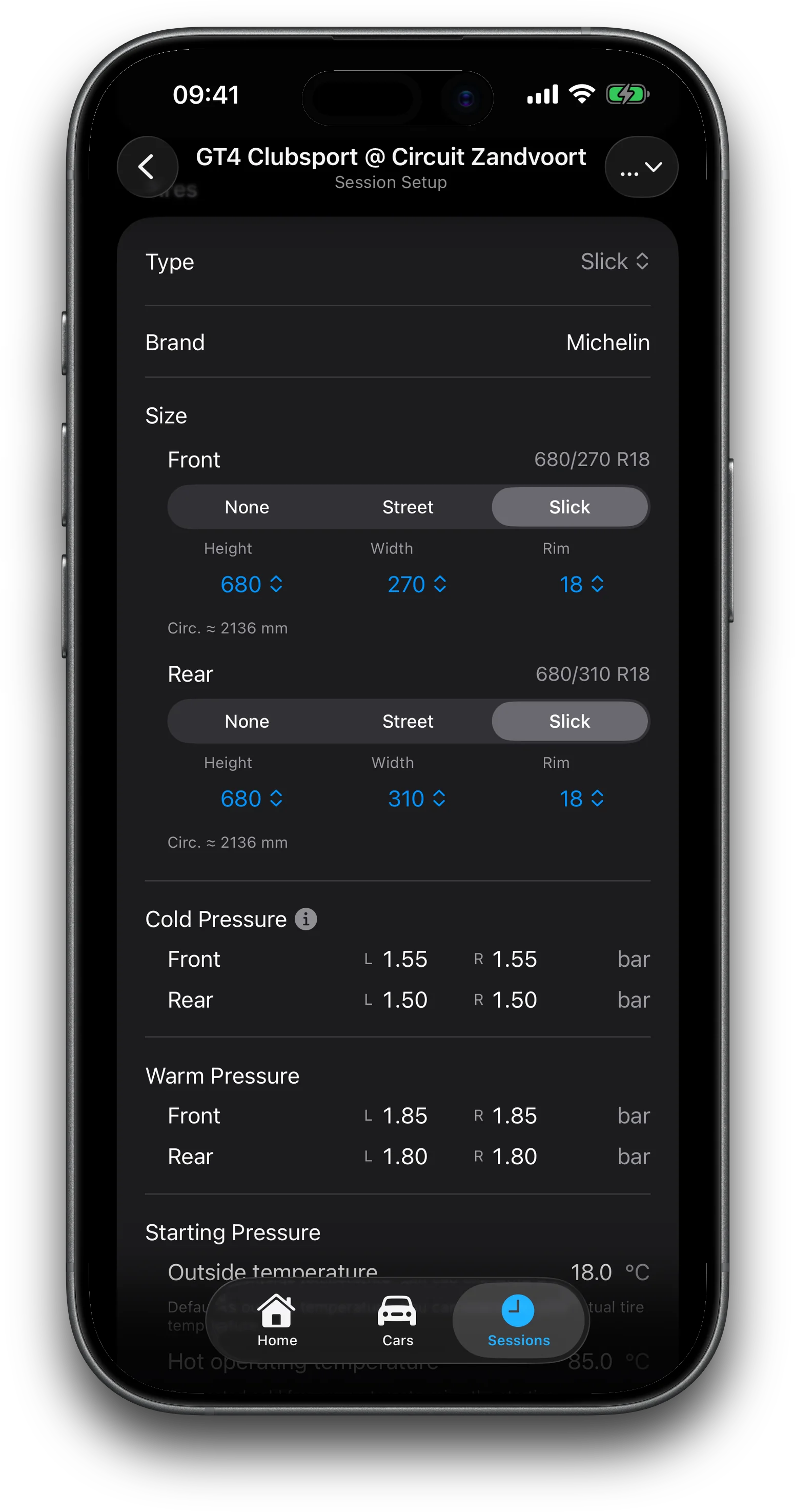
Pick dampers from a manufacturer and product catalog — the click ranges follow that product. Per-corner tire pressures, sizes, and tread temperatures. Ride height, camber, toe, springs, and caster unlock with Pro.

02

Session logging

One session per outing: circuit, car, dry / damp / wet, ambient temperature, comments — with a full setup snapshot frozen at the moment you ran.

03

Lap timing, four ways

Stopwatch. iPhone GPS off a virtual start/finish line. An external Dragy or RaceBox module with Pro. Manual entry. Every lap stores the setup and conditions it was set on.

04

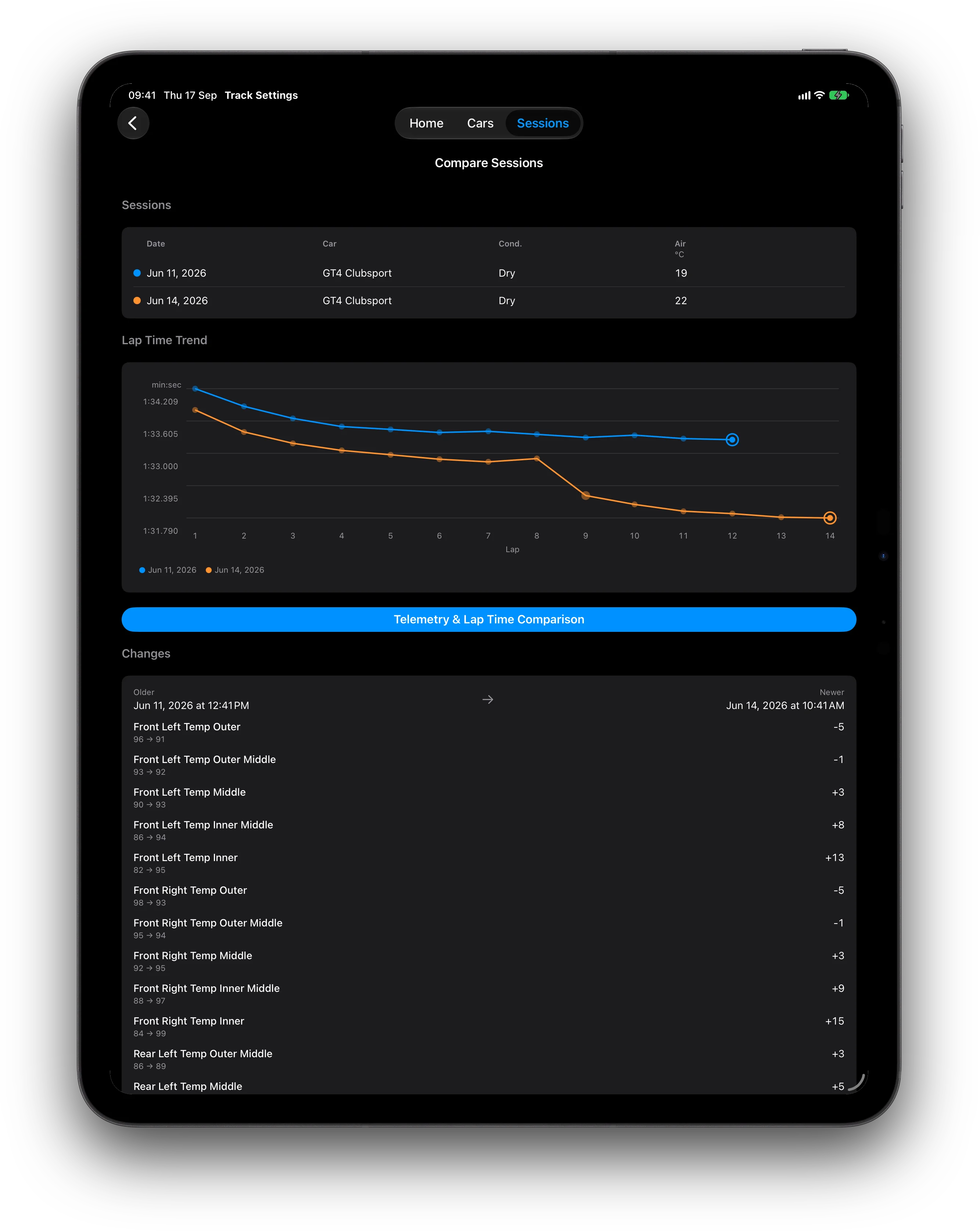
Session comparison

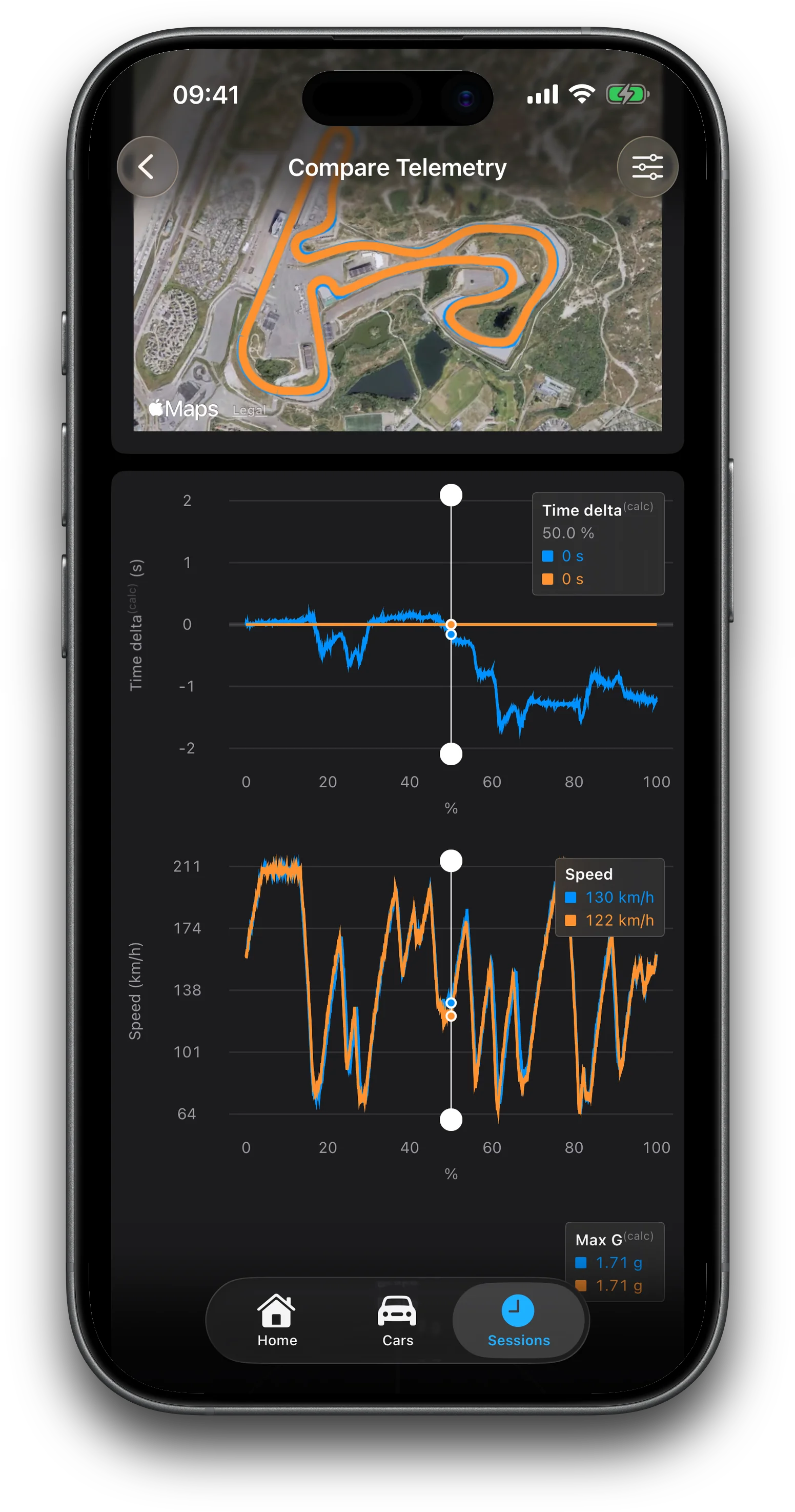
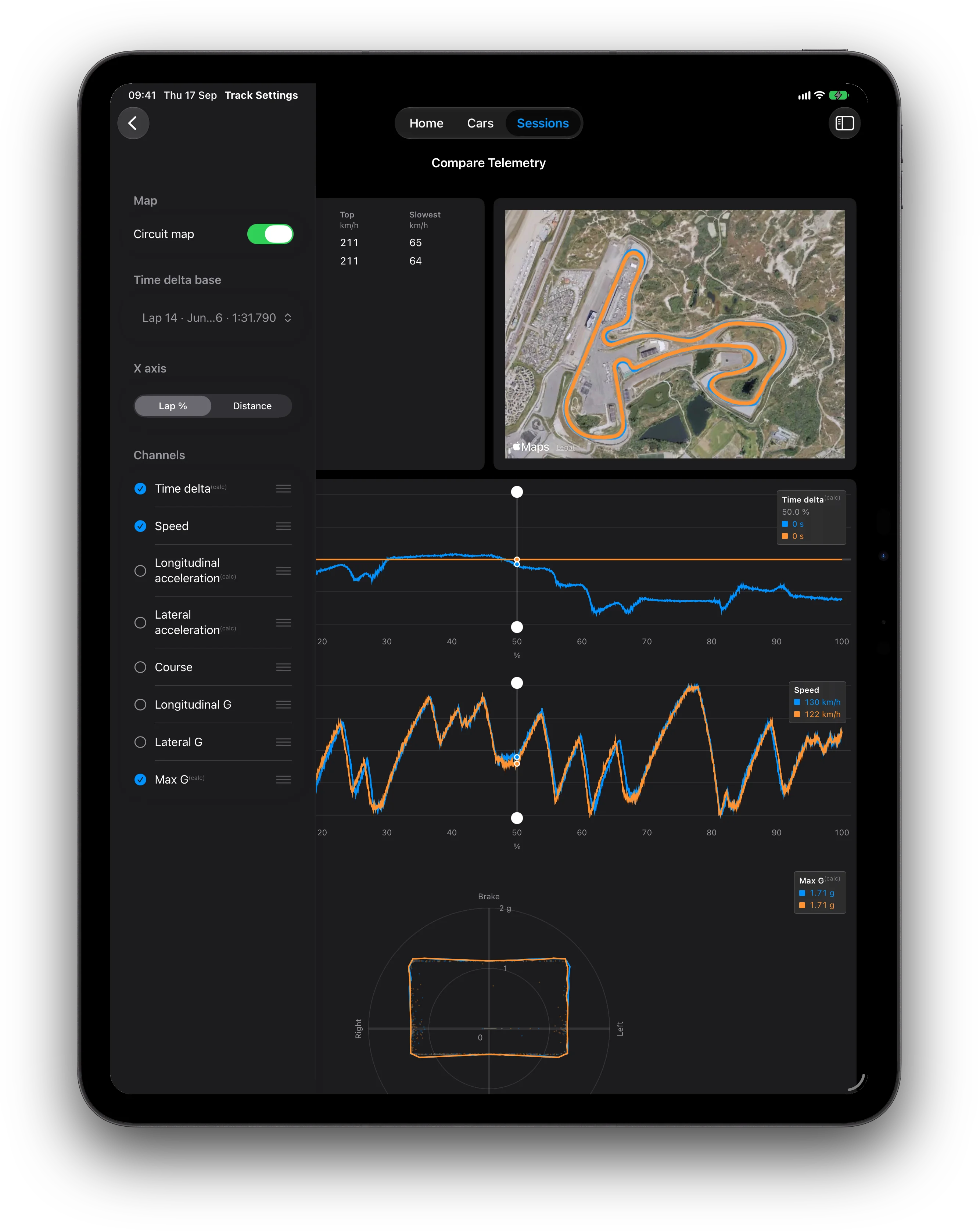
Overlay any number of sessions on one graph. Compare two sessions for best-lap difference; Pro adds the advanced setup-delta rows.

05

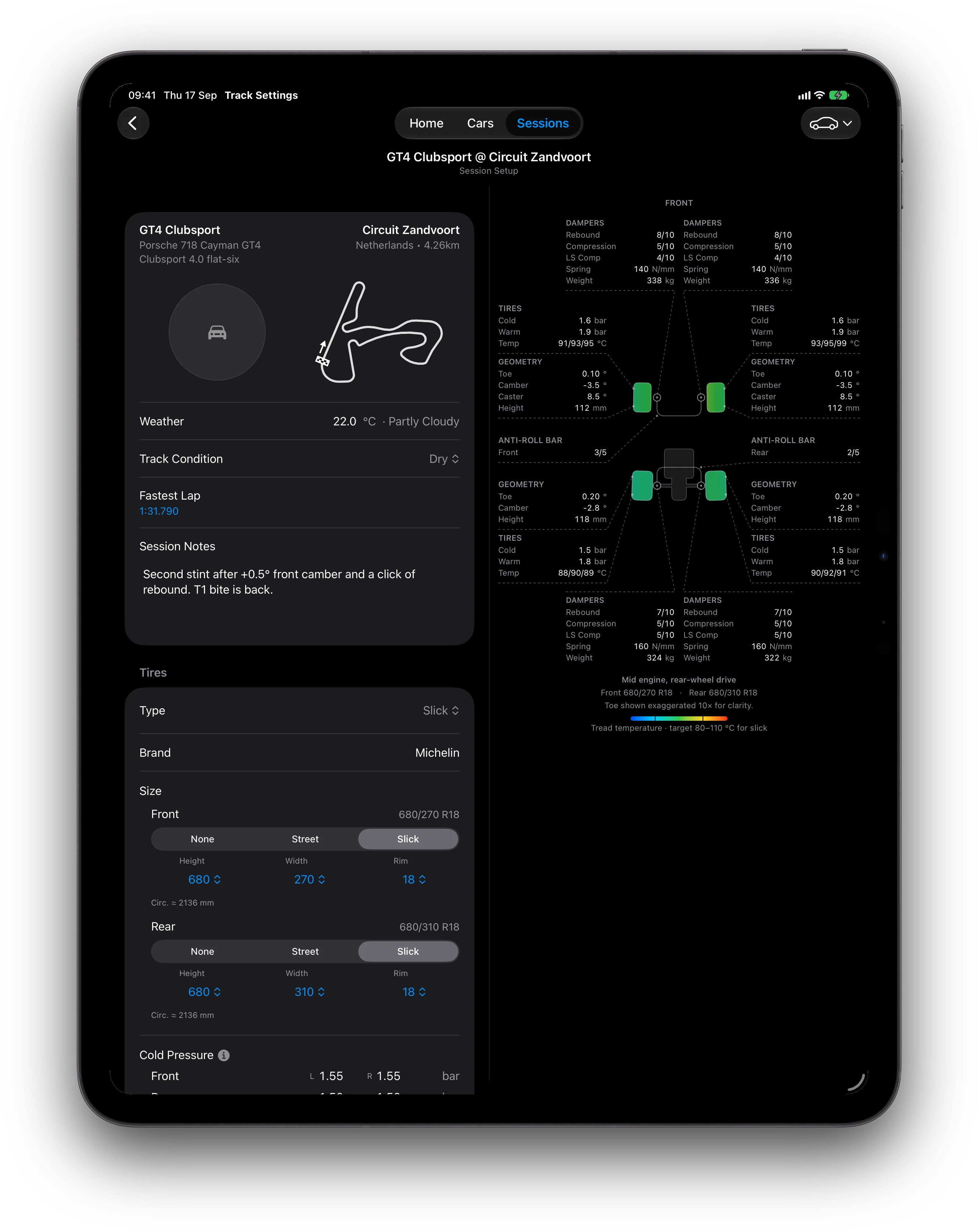
Schematic & heat map

A top-down car drawing with setup callouts, plus a tread heat map when you log pyrometer readings — green means that compound is in its window.

06

Cold pressures, calculated

Set the hot target and the app works back to the starting cold pressure for the paddock temperature — then applies it to the car in one step.

ALSO  no sign-up · auto-save everywhere · metric or imperial · Enthusiast / Professional · in-app Help & Guide · rename a car, add a profile photo · clone a session setup · sway-bar hardware on the car · schematic track outlines · circuit & car database · live weather
$24.99 / year

Track Settings Pro

Unlock Professional setup features for $24.99 a year, auto-renewing. Local pricing is shown in the App Store for your region. Manage or cancel in your Apple ID settings.

01Per-corner geometry columns in setup tables
02Advanced setup delta rows when comparing
03Ask an Engineer — AI setup advice
04Professional experience level
05External GPS lap timing — Dragy or RaceBox

Renews automatically unless cancelled at least 24 hours before the period ends. Payment is charged to your Apple Account.

Professional geometry and spring-rate fields on iPhone
Lap time trend

See which change made you faster.

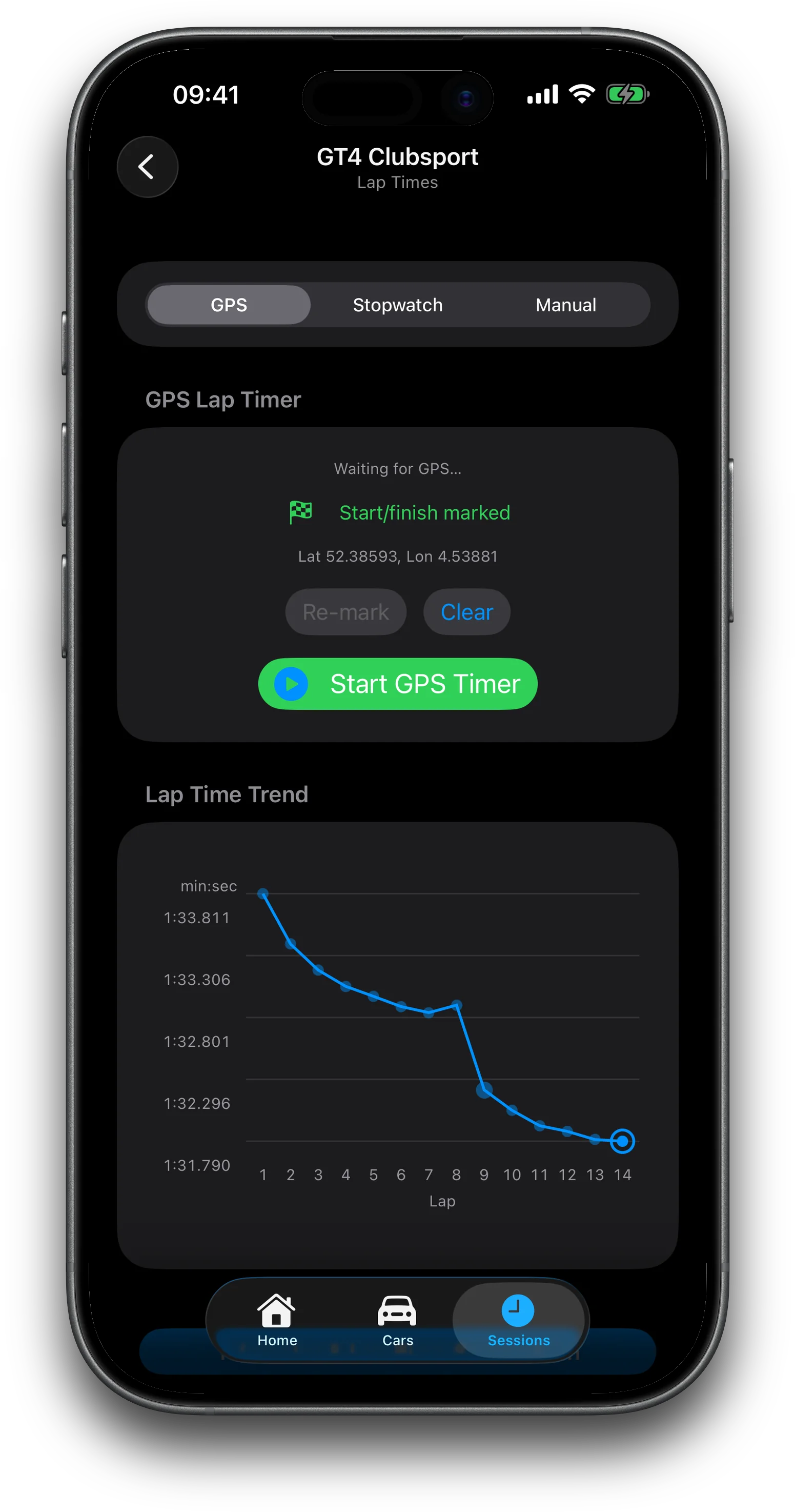
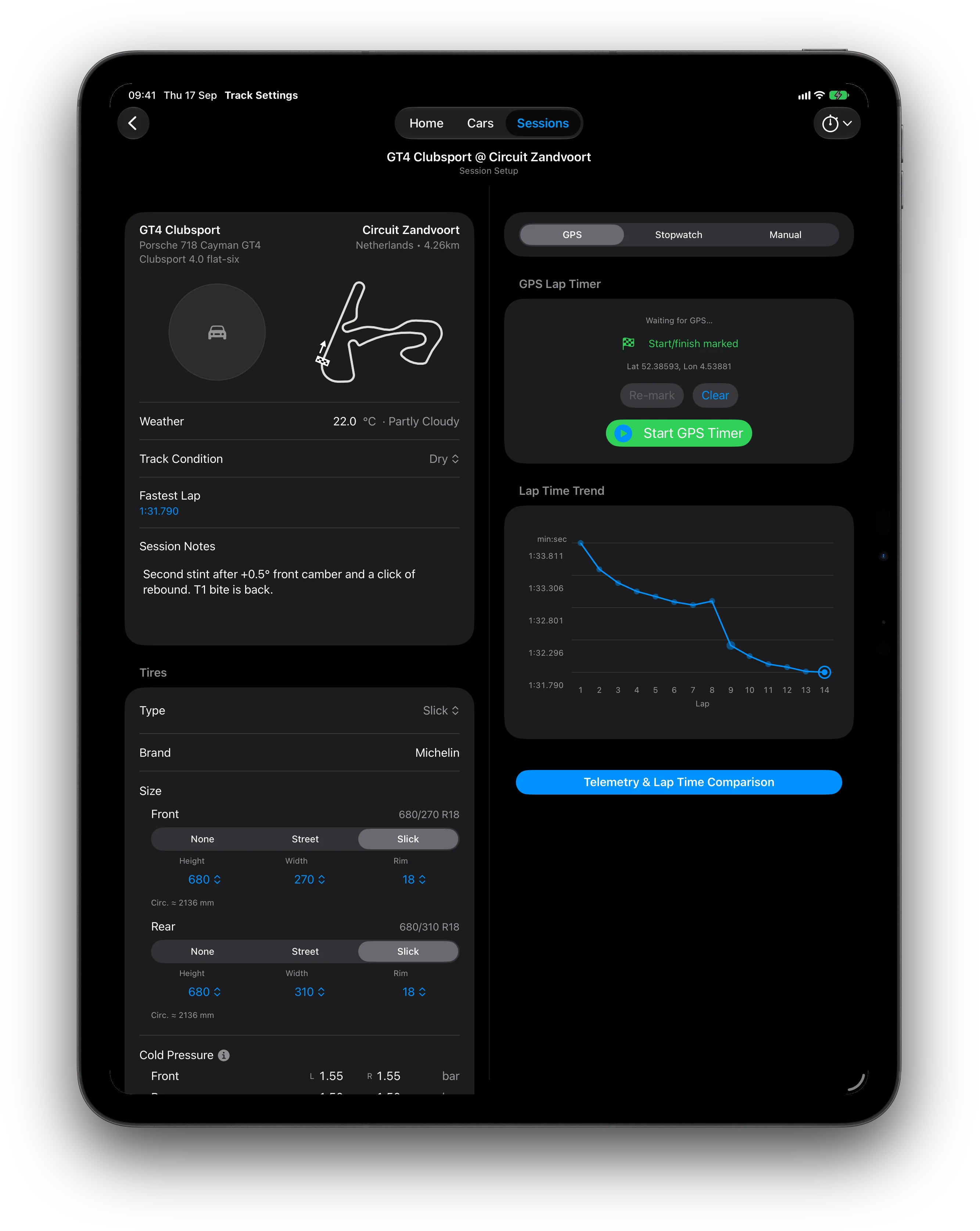
Faster laps plot higher. Laps set on a changed setup are flagged on the graph — tap one and the app lists exactly what changed since the lap before. Overlay sessions to compare whole weekends.

Lap Times on iPhone: lap time trend graph with setup-change markers
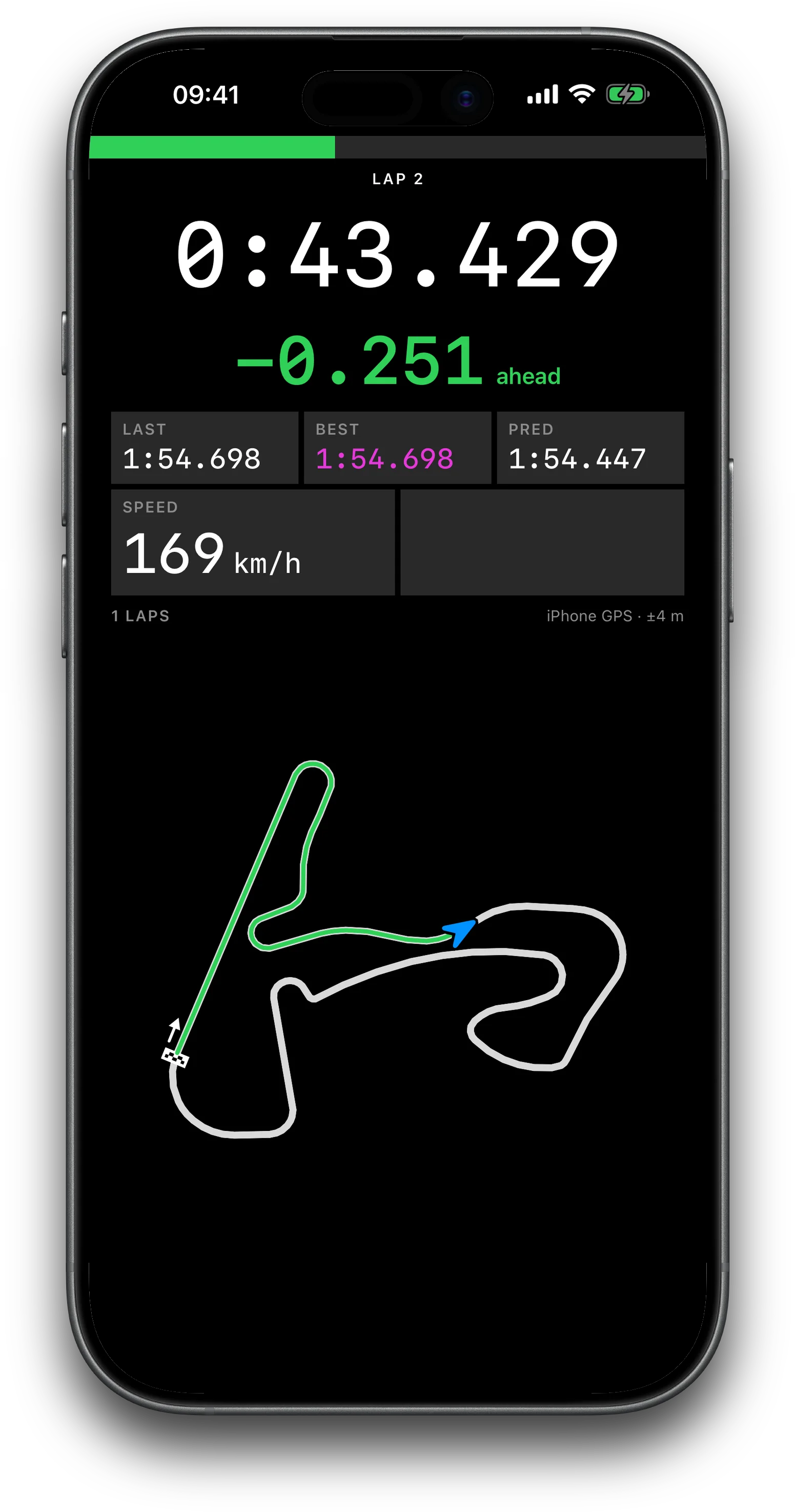
Armed GPS timing on iPhone: running lap, live delta, best and predicted lap, speed, and the driven path on the track outline
New in 1.1.0

Arm it and drive.

Mark start/finish, arm timing, and put the phone down. The armed dash reads at a glance: running lap, live delta, last, best and predicted, speed in km/h or mph, and your driven path drawn on the track outline in the delta colour. A this-run best flashes as it lands.

01iPhone GPS, free — no extra hardware
02Dragy DRG70 / DRG70 Pro over Bluetooth, with Pro
03RaceBox Mini / Mini S / Micro, with Pro
04Per-lap telemetry trace stored with the lap

Signal-loss alerts if a paired module drops mid-session · no silent fallback to the iPhone · Track use only

Native on iPad

Room for the whole weekend.

Comparison tables, a split form-and-panel layout, and the suspension schematic with tread heat map. iPhone portrait stays a simple list; iPad and landscape open the extra columns.

iPad session setup with suspension schematic and tread heat map
Schematic + heat map
iPad lap timing with trend graph beside session notes
Lap timing split view
iPad compare sessions: overlaid lap graphs and setup deltas
Session comparison
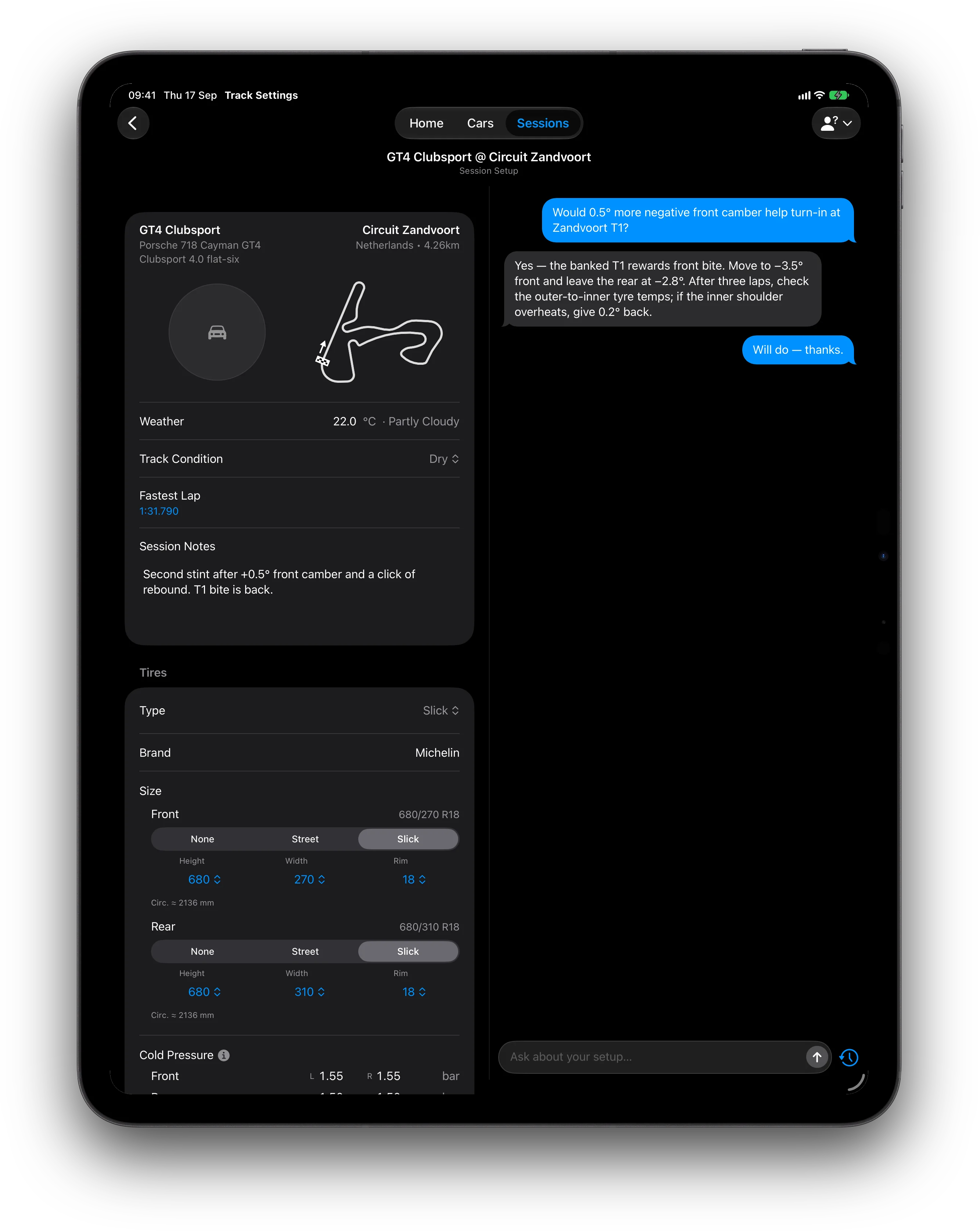
iPad split view: session setup beside Ask an Engineer
Setup + Ask an Engineer
Track Settings Pro

Ask an Engineer.

A virtual trackside engineer in the app — included with Pro. Hand it a car or a session as context and ask why the rear steps out on corner exit. Answers are grounded in a suspension tuning guide, and threads are saved to your account.
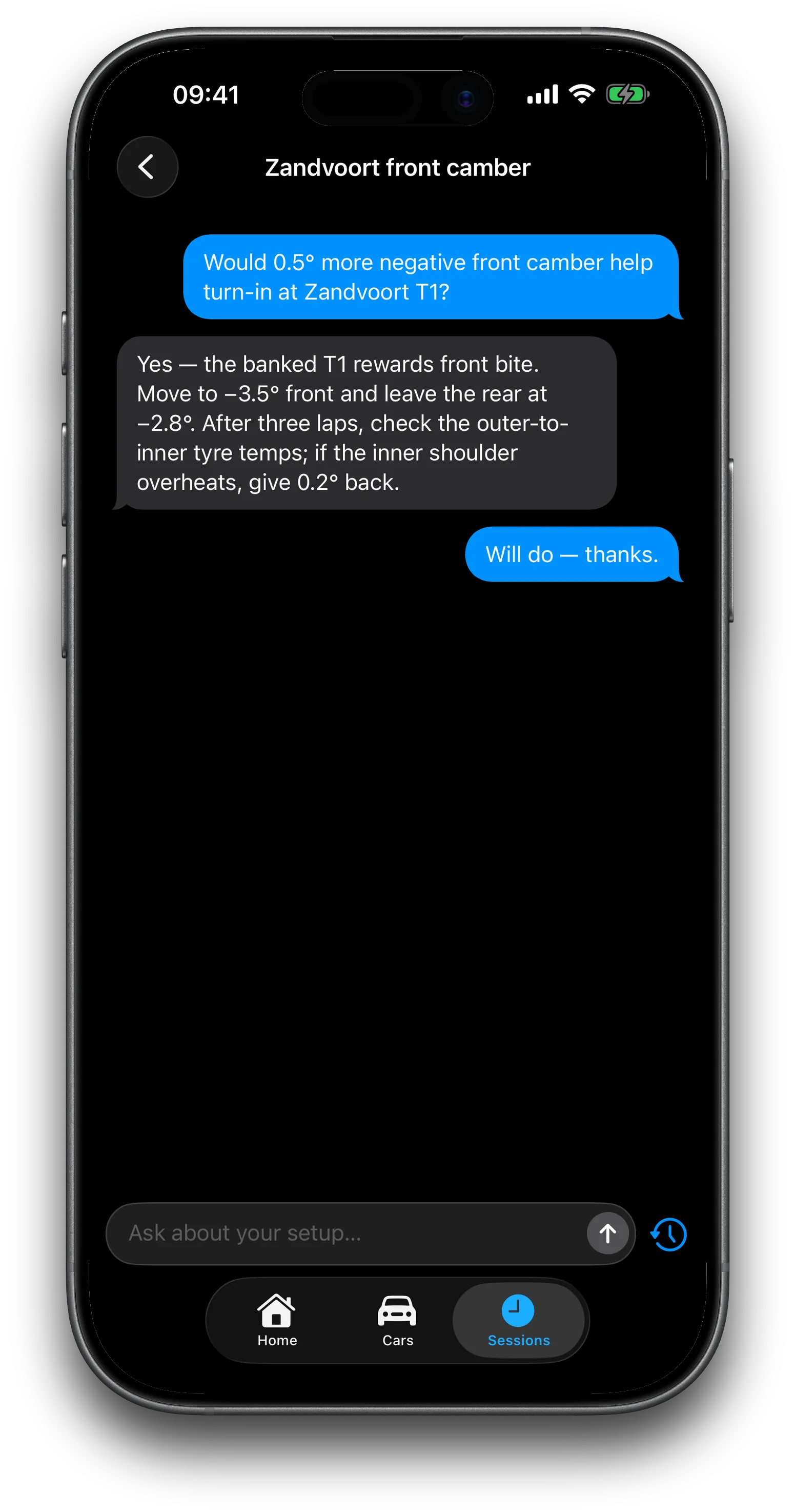

Ask an Engineer chat on iPhone: slow-corner understeer advice

How it works

STEP 01

Log the car

Enter the car once — dampers, tire pressures, session notes. Geometry and springs unlock with Pro. The setup follows the car from then on.

STEP 02

Run the session

Pick the circuit, note the conditions, time laps by iPhone GPS, a Dragy or RaceBox module, stopwatch, or hand. Everything auto-saves.

STEP 03

Change one thing

Compare sessions, read the delta, keep what worked. The graph tells you what it was worth.

VERSION 1.1.0  ·  NOW ON THE APP STORE

External GPS timing, the live armed dash, per-lap telemetry, a damper product catalog, calculated cold pressures, and in-app Help & Guide. Full list of changes since 0.5.0 on the changelog.

Read the changelog
Track Settings app icon

On the App Store.

$9.99, one-time.  ·  Track Settings Pro $24.99 / year.  ·  iPhone & iPad · iOS 18 or later · no sign-up required

Download on the App Store

iOS 18+  ·  $9.99

QR code linking to Track Settings on the App Store

SCAN WITH YOUR IPHONE

Questions? {{ contactEmail }}